
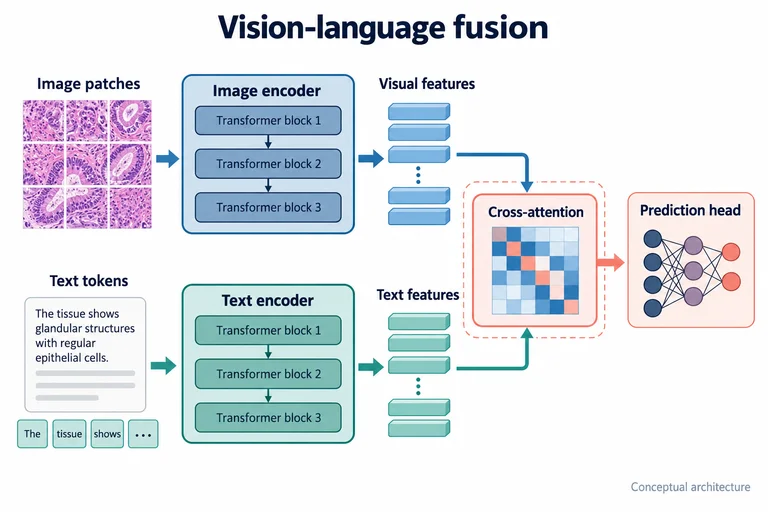
Vision–language feature fusion
Bring two encoding branches into a shared fusion module.
Use this promptComputing & research methods Side-by-side comparison
Branch one design into simulation and experiment, then compare.
Replace the example subjects, steps and findings with your research before generating.
Use the prompt to start with the example description, or use the image as a composition reference while keeping your own text.
Browsing and copying are free. Generation uses the credits shown in the maker.
Bring two encoding branches into a shared fusion module.
Use this prompt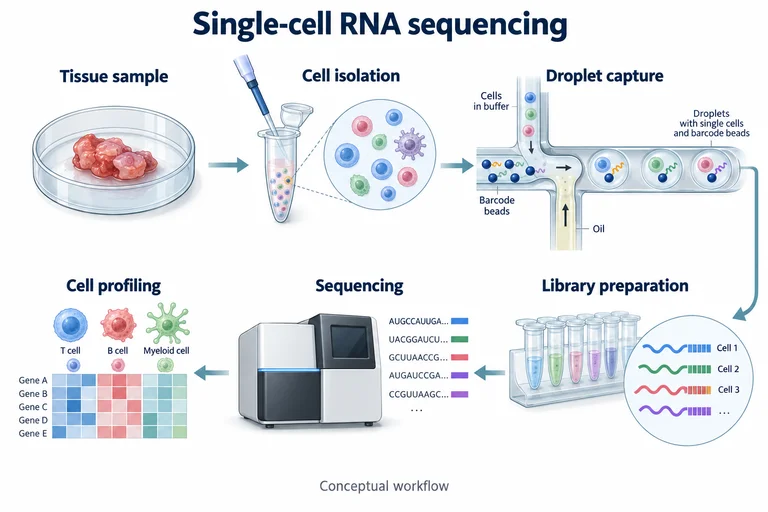
Connect six illustrated sample and instrument stages.
Use this prompt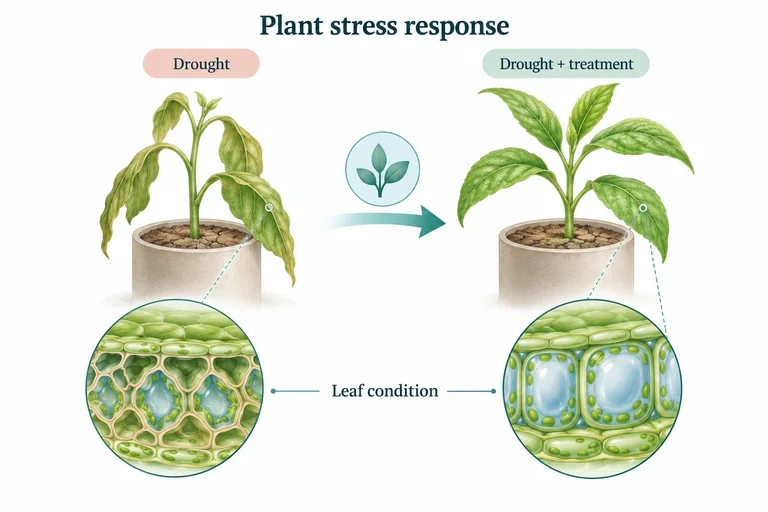
Compare matched plants and connect leaf appearance to tissue detail.
Use this prompt